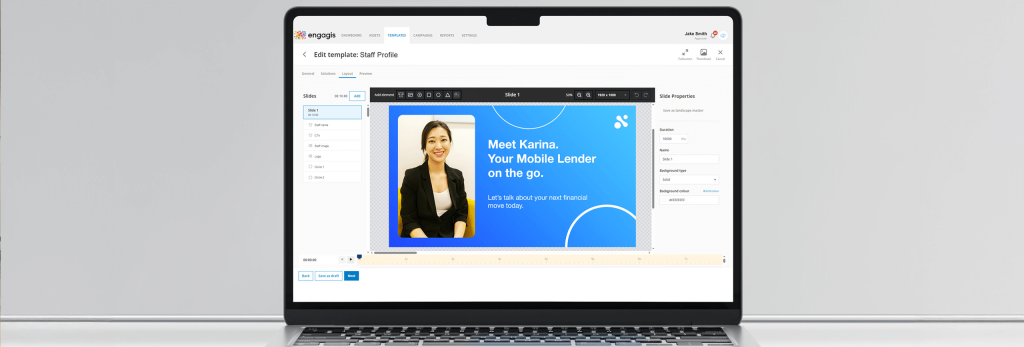
Digital signage software is what keeps your screen network running. It is the system that helps you manage, update, schedule, and monitor content across one screen or many. Without the right software digital signage setup, even good screens can become hard to manage.
The right digital signage software makes work easier. You can update content faster, keep messages correct, and spend less time fixing problems. This matters in retail, offices, healthcare, and many other settings.
It also helps you stay in control as your network grows. A small setup may only need basic tools. A larger network usually needs stronger signage software features, better reporting, and simpler remote management.
Key Features to Look For
This is where your choice starts. The right signage software features can save time, cut down mistakes, and make your screen network easier to run. A digital signage platform comparison should focus on the tools your team will really use.
(1) Ease of Use
If your team cannot learn the software fast, it will slow work down. Good digital signage software should have easy controls, a clear dashboard, and simple uploads. A hard-to-use CMS for digital signage can lead to mistakes and missed updates.
(2) Content Scheduling
Scheduling helps you plan content ahead of time. That means less manual work each day. Look for tools that support timed campaigns, dayparting, seasonal promotions, and location-based updates.
(3) Integrations (POS, Social, APIs)
Integrations help your digital signage software do more. They can connect with POS systems, social feeds, and APIs. This helps content update faster and stay accurate. It also cuts down manual work. This saves time and helps avoid mistakes.
(4) Analytics and Reporting
Reports help you see how your signage network is doing. You can check screen status, proof of play, and campaign results. This makes it easier to spot problems. And also helps to make better decisions and improve over time.
(5) Cloud vs On-Premise Software
Cloud and on-premise software work in different ways. Cloud software is great for remote access and managing many sites. On-premise software is hosted locally. It may suit businesses that want more internal control. The best choice depends on your setup.
(6) Budget Considerations
Do not look at price alone. Think about the full cost over time. The cheapest option is not always the best signage software if it is hard to scale or misses key features.
Final Checklist Before Choosing
Before you make a final call, run through a simple checklist:
- Does the digital signage software fit your business goals?
- Is it easy for your team to use?
- Does the CMS for digital signage support scheduling and integrations?
- Can it scale with your network?
- Does the pricing still make sense over time?
- Is support available when you need help?
This quick check can help you avoid choosing a platform that looks good at first but causes problems later. It can also help you see if the signage content management system tools are right for your team.
Conclusion
The right digital signage software should make screen management easier, faster, and more reliable. Look closely at each feature we discussed above. The best signage software is the one that fits your business network.
If you are doing a digital signage platform comparison and want help choosing the right fit, get in touch with Engagis.