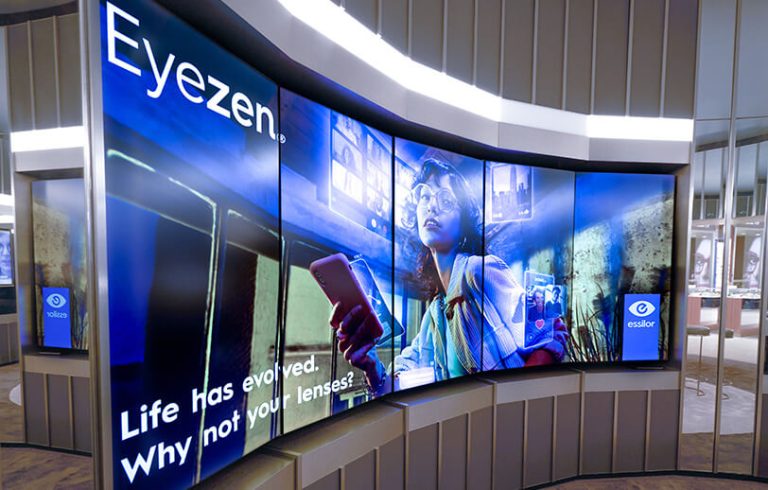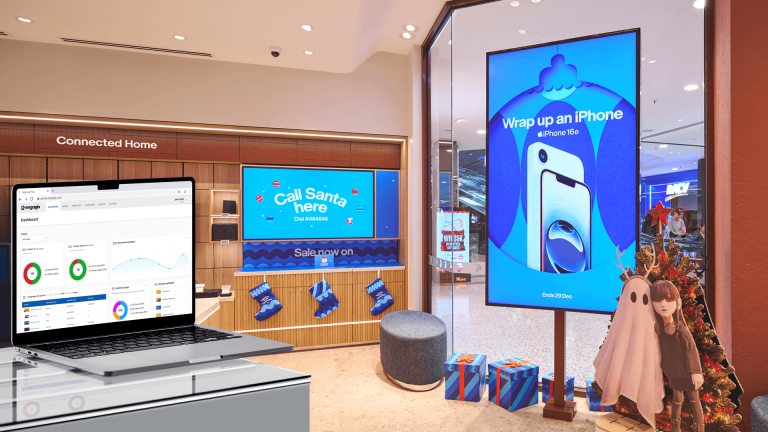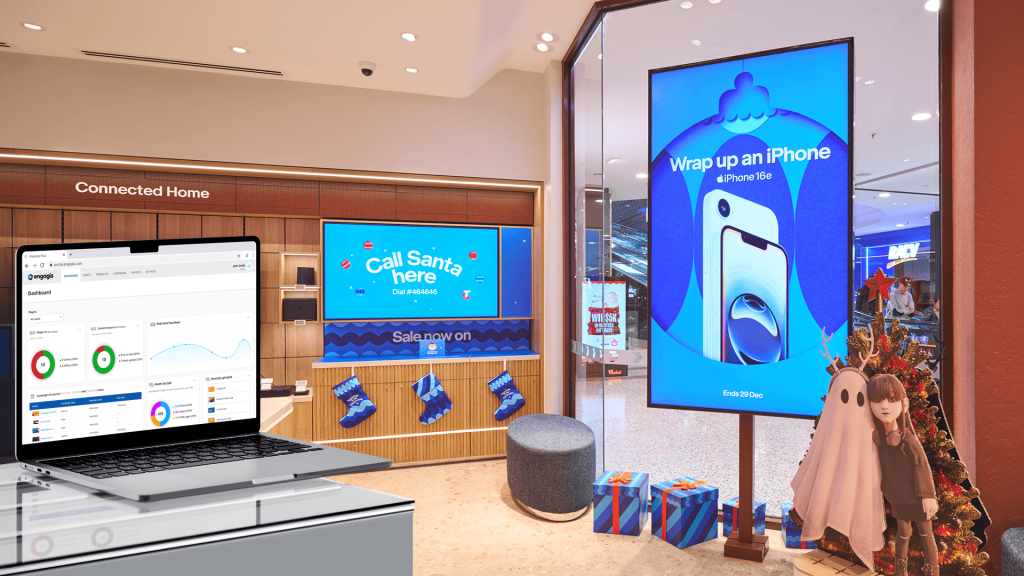
Businesses use digital signage software to control what appears on their digital signage displays. It helps teams manage content across one screen or a full network of digital signage screens.
Think about a screen in a shop, office, or transport hub. What should it show? Who should see it? When should it change? A good digital signage system helps answer those questions in a more easy manner.
It also keeps your brand looking consistent. That matters whether you have one location or a full screen network across Australia.
The best digital signage software should make content easier to manage. It should help your team update screens quickly, keep messages clear, and show the right content at the right time.
Core Features of Digital Signage Software
Core features of digital signage software help with screen content.
(1) Content Scheduling
Content scheduling lets you plan what appears on your digital signage screens and when. You can show different content based on:
- Time of day
- Day of the week
- Screen location
- Audience type
- Campaign or promotion
(2) Templates and Layout Tools
Many digital signage solutions include branded templates. These help your team create menu boards, welcome screens, alerts, promotions, and staff updates. It can also include drag-and-drop tools to build these templates.
Templates are useful because they help keep your brand consistent. Your colours, fonts, logos, and message style can stay aligned across every digital signage display.
(3) Multi-Screen Management
A digital signage CMS lets you group screens. It can be by store, site, team, or campaign. You can update one screen, several screens, or the whole network from one place.
(4) Analytics and Reporting
See what content played and when. This helps you spot what needs a refresh.
(5) Integrations
Connect screens with tools like weather, calendars, social media, POS systems, and live data. This keeps your content useful, current, and far less boring.
What Is a Digital Signage Player?
A digital signage player is the device that connects your software to your screen. It receives content from your digital signage CMS and sends it to your digital signage display.
The software tells the screen what to show. The player helps make that happen.
A digital signage player can be:
- A small external media device
- A built-in player inside the screen
- Part of a larger hardware setup
- A device connected to a local or cloud-based system
The right setup depends on your screens, locations, content needs, and internet connection.
For example, your software may schedule a promotion to run at 9 am across ten stores. The digital signage player helps deliver that content to each screen at the right time.
This is why software and hardware need to work together. A strong digital signage solution should make it easy to manage content, while the player should help that content run smoothly on screen.
Types of Digital Signage Software
There are two main types of digital signage software: cloud digital signage and on-premise software.
Digital signage cloud software is managed online. This often suits businesses with more than one location. Your team can make changes without being on site. The trade-off? You need a reliable internet connection. Plus, there are often ongoing fees.
On-premise software is hosted on local systems. It can give businesses more control over their setup and data. This may suit organisations with strict security or IT needs. But it can cost more, take longer to maintain, and need more technical support.
For many businesses, digital signage cloud software is the easier choice. For others, on-premise may fit better.
Key Benefits of Digital Signage Software
The right digital signage software makes it easier to manage every digital signage display in your network. Software digital signage has the following advantages.
(1) Remote Management
Remote management lets you update digital signage screens from one place. This is handy for retailers, offices, schools, venues, and national networks.
(2) Real-Time Updates
Digital signage software also allows fast changes.
You can update promotions, alerts, event details, safety messages, or operational notices in real time. That means your screens stay accurate and useful.
(3) Cost Efficiency
Reduce printing costs, delays, and manual work. Software digital signage can be more practical than static signs over time.
(4) Brand Consistency
A digital signage CMS helps keep colours, logos, layouts, and messages aligned. This is important when you manage more than one screen or location. Without a central system, content can look off-brand.
Best Practices for Using a Digital Signage CMS
A digital signage CMS works best when you:
- Keep messages easy to read.
- Use clear visuals and strong contrast.
- Avoid putting too much text on one screen.
- Match content to the screen location.
- Schedule content based on time of day and audience behaviour.
- Refresh content often so screens do not feel stale.
- Review performance data.
You need to keep in mind what you want the viewer to do.
A digital signage display near a checkout has a different job from a screen in a meeting room. A visitor welcome screen has a different purpose from a staff update screen.
The best digital signage software helps you manage those differences.
How to Choose the Right Digital Signage Software
A small business may need simple digital signage cloud software with templates, scheduling, and easy updates. A larger organisation may need user permissions, integrations, reporting, and multi-location screen control.
You should also think about how your team works. Who creates the content? Who approves it? Who updates the screens? Who checks if the content still makes sense?
The right digital signage system should fit your process.
Conclusion
Digital signage software helps businesses manage screen content with less effort. It keeps messages fresh, supports brand consistency, and improves communication with customers, visitors, and staff.
The best choice starts with your goals. You may need simple cloud digital signage for one site, or a more advanced digital signage system for multiple locations.
You should also think about your hardware. Your screens, software, and digital signage player all need to work together.
Looking for the right digital signage solution for your business? Get in touch with Engagis. Let’s discuss your screens, software needs, and content goals.