Digital Signage Solutions: A Complete Guide

Ben Smith
An authority on digital transformation of physical spaces, Ben has 20+ years helping top-tier companies improve their customer and staff experience.

Digital signage solutions are screens and displays that show digital content instead of printed posters, and they are managed through software rather than changed by hand. Engagis is a digital signage and audiovisual solutions provider based in Australia, known for designing, building and managing end-to-end digital signage networks for enterprise brands such as Telstra, 7-Eleven, Sunglass Hut, Terry White and many more. This guide explains what digital signage is, how it works, what it costs, where businesses use it, and how to choose the right system for your organisation, for people that are looking into using these services or trying to choose the right partner. Whether you run a single store or multiple stores, the goal is the same: to put the right message on the right screen at the right time, without having to manually update it.
What Is Digital Signage?
Digital signage is any screen used to display digital content in a business or public space, controlled remotely through content management software rather than printed and physically replaced. That is the short version of the meaning of digital signage. A television playing the news is not digital signage. The same television running scheduled store promotions, managed from a central dashboard, is.
The term covers a wide range of hardware, from a single screen behind a reception desk to a network of thousands of displays spread across national retail chain stores. So, what makes it different from a lightboard ad display? The software that decides what plays, when, and where. In short, the “automation”.
Digital signage has been used commercially for more than two decades, but the technology has changed a great deal. Early systems ran a fixed loop of slides on a timer. Modern systems can change content based on the time of day, the weather, stock levels, or even who is standing in front of the screen. The screen has moved from a passive display to an active part of how a business communicates.
How Does Digital Signage Work?
Digital signage works through three connected parts. A display screen shows the content, a media player or built-in system runs it, and content management software schedules and pushes updates to the screen remotely. Understanding how digital signage works starts with these three layers, since each one does a different job.
The Hardware Layer
This is the physical screen and the device that drives it. Some displays have a media player built in, known as a system on chip. Others rely on a separate media player box connected to the screen. The hardware layer also includes mounting brackets, cabling, and in some cases sensors or cameras used for audience data.
The Software Layer
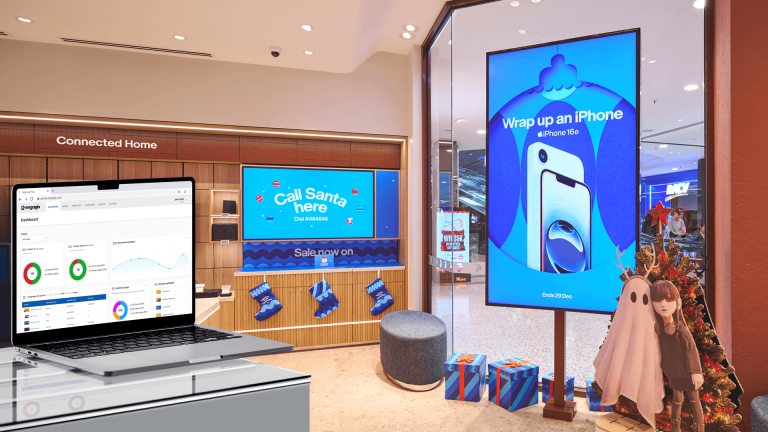
A content management system, usually shortened to CMS, is the control centre. It lets a business upload content, build playlists, schedule what plays and when, and push updates to one screen or thousands at once. Good software also reports back on screen health, so a business knows if a display has gone offline before a customer notices a blank screen in store.
The Content Layer
This is what actually appears on screen. It can be static images, video, live data feeds, social media, or automated content that updates itself from a spreadsheet or a product feed. The strongest digital signage networks treat content as a rule, not a one-off upload. A rule such as “show the lunch menu between 11 AM and 2 PM” runs itself once it is set up correctly, and it keeps running correctly long after whoever built it has moved on to other work.
These layers only work best together when they are planned as one system rather than bought separately and connected later. A powerful screen paired with weak scheduling software still looks unmanaged. Reliable software connected to the wrong screen for its environment still fails, just for a hardware reason instead of a software one.
What Are the Main Types of Digital Signage Hardware?
The term “Digital signage” incorporates large categories of hardware, where a few of these hardware categories could even be a category in itself. So to keep it simple, let’s segment them into broader terms where we shed insight on each of these in their own sections.
LED Screens
LED screens are built from small light-emitting diode modules joined together to form one large display. They are bright enough to work outdoors or in direct sunlight, and they can be built in almost any size or shape, including curved and transparent formats. LED is the usual choice for large format advertising, building facades, and big format indoor feature walls.
LCD and Commercial Display Screens
LCD screens are the flat panel displays most people picture when they think of “digital signage.” Commercial-grade LCD screens are built to run for long hours every day, unlike a consumer television bought for the lounge room. They suit indoor use such as retail shelf displays, office reception areas, and menu boards.
E-Paper and Shelf Edge Labels
E-paper displays are paper-like displays that use very little power and are readable in bright light, in some sense similar to ink on paper. They are common for electronic shelf labels and low-update-frequency signage, such as wayfinding directories that do not need to be changed every few seconds.
Touchscreens and Interactive Kiosks
Touchscreens are displays that add an interactive layer to content that is being shown, letting customers browse a menu, check in, or find a product themselves. Interactive kiosks combine a touchscreen with a stand or enclosure and are common in quick-service restaurants, healthcare check-in, and retail self-service.
What Software Powers a Digital Signage Network?
A digital signage network needs good content management software that works alongside it. A quality of function on the network depends on the content management software. The software decides what plays, when it plays, and how quickly a business can update hundreds of screens without visiting each site.
A good digital signage platform provides businesses with a few core options, essential for a streamlined and uniform workflow.
- Scheduling so content plays at the right time without someone manually swapping files.
- Zoning so one screen can show more than one piece of content at once, such as a main promotion alongside a smaller news ticker.
- Remote monitoring so a team can see if a screen has gone offline before a customer does.
- Content automation so information such as pricing or stock availability updates itself from a data feed rather than being rebuilt by hand every time something changes.
Cloud-based platforms have become the standard, since they let a business manage a screen network from any location with an internet connection, rather than relying on someone physically plugging a USB drive into each display.
What Are the Benefits of Digital Signage?
Out of all the benefits of digital signage, the most essential ones that can be guaranteed are faster content updates, lower ongoing costs compared with printed signage over time, and the ability to change a message based on context such as time of day, location, or necessity. These can be better understood with examples of real-life scenarios, like some below:
- A price change or new promotion can go live on every screen in a network within minutes, instead of waiting for new posters to be printed and physically installed.
- Printed signage has to be reprinted every time a message changes. A digital screen carries that cost once, then runs new content at no extra production cost.
- Content can be changed as required, so a lunch menu appears at lunchtime, and a breakfast menu appears in the morning, on the same screen.
- Movement and colour on screen draw more attention than a static poster, which is part of why retailers use digital signage near entrances and at the point of decision.
- A business with multiple sites can push one message to every location at once, keeping branding and pricing consistent without relying on local staff to update anything manually.
- Modern platforms report on what played, where, and when, which turns a screen network into something a business can actually measure rather than just a display cabinet.
These benefits compound as a network grows. A single screen saves a business the cost of one poster. A network of two hundred screens across a retail chain saves the cost and the delay of coordinating two hundred physical sign changes every time a campaign updates.
How Much Does Digital Signage Cost?
Digital signage cost depends on the screen size, the hardware quality, the software licence, and whether installation and ongoing support are included. There is no single fixed number, because a single reception screen and a three hundred store retail rollout are very different projects.
The main cost components are the display itself, the media player or system-on-chip running the content, the content management software licence, installation, and ongoing support. Larger or outdoor screens such as LED cost more than a standard indoor LCD panel of the same size, mainly because of the brightness and weatherproofing required.
Many businesses now choose a subscription-style model instead of a large upfront purchase. Under a Signage as a Service arrangement, hardware, software, installation and support are bundled into one predictable monthly cost, which removes the large capital outlay and makes it easier to refresh screens on a regular cycle rather than running old hardware until it fails.
Where Is Digital Signage Used?
Digital signage is used anywhere a business needs to communicate with customers, staff, or visitors in a physical space. The five most common settings are retail, corporate offices, education, government, and healthcare, and each uses the technology slightly differently.
Retail Store Digital Signage
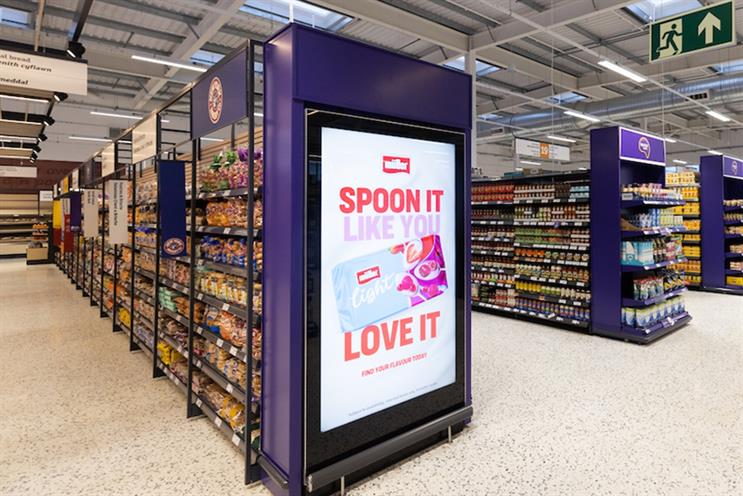
Retail is the largest use case. Screens near the entrance draw attention, shelf-edge and end-of-aisle displays highlight promotions, and checkout screens can carry last-minute offers. Retail store digital signage also increasingly doubles as a retail media channel, where suppliers pay to have their products featured on screen.
A simple example shows how the pieces fit together. A national eyewear retailer might run one promotion on entrance screens across every store on a Monday, then automatically swap in a different regional offer for stores in a particular state on a Tuesday, without a single person visiting a store or manually rebuilding a slide. That kind of coordinated, fast-moving control is very difficult to achieve with printed signage, no matter how organised the marketing team is.
Corporate Digital Signage
Corporate digital signage covers reception welcome screens, meeting room booking panels, and workplace communication dashboards showing company news, KPIs, or safety messages. It is one of the simplest ways for a business to keep staff informed across multiple floors or offices without relying on email alone.
Digital Signage for Schools
Digital signage for schools supports campus communication, event schedules, safety alerts, and wayfinding across large or multi-building campuses. It is a lower-cost, lower complexity deployment compared with a national retail rollout, which makes it an accessible starting point for education providers.
Government Digital Signage
Government digital signage appears in council offices, public transport hubs, and community facilities, typically for wayfinding, public safety announcements, and service information. Procurement in this space usually involves a formal tender process and compliance requirements that a private retailer would not face.
Healthcare and Medical Digital Signage
Hospitals and clinics use digital signage for patient wayfinding, queue and appointment updates, and general health communication in waiting areas. Clear, calm information matters more here than flashy promotion, since the audience is often anxious or unfamiliar with the building.
What Is the Difference Between Digital Signage and Traditional Signage?
The core difference is control. Traditional signage is printed once and stays fixed until someone physically replaces it. Digital signage is managed through software, so content can change as often as needed without any physical reprinting.
| Traditional Signage | Digital Signage | |
| Update speed | Days to weeks, needs reprinting | Minutes, updated remotely |
| Ongoing cost | Repeat printing cost per change | One hardware cost, then free content updates |
| Flexibility | Fixed message until replaced | Can change by time, location or audience |
| Measurement | No data on views or performance | Proof of play and engagement reporting |
| Best for | Simple, rarely changed messages | Frequently updated or targeted messages |
Traditional signage still has a place. A fixed exit sign or a permanent shopfront name does not need to be digital. The two formats usually work best together, with static signage handling permanent information and digital signage carrying anything that changes.

How Do You Install and Set Up Digital Signage?
Installing digital signage involves choosing the right hardware for the location, running power and network cabling, mounting the screen securely, and configuring the content management software before content goes live. The process looks different for one screen than for a multi-site rollout.
- Plan the network. Decide how many screens are needed, where they will sit, and what each screen needs to do at that location.
- Choose the hardware. Match screen type, size and brightness to the environment, indoor or outdoor, and to how far away people will be standing.
- Confirm power and network access. Every screen needs a power source and a reliable network connection, whether that is wired or wireless.
- Install and mount. Screens are mounted securely to a wall, ceiling, or custom fixture, with cabling run neatly and safely.
- Configure the software. Each screen is registered to the content management platform, zones and playlists are set up, and content is scheduled.
- Test and go live. Content is checked on every screen before launch, and monitoring is set up so any screen going offline is flagged immediately.
Larger rollouts benefit from a structured installation partner rather than a do-it-yourself approach, mainly because coordinating hardware delivery, cabling, and software configuration across dozens or hundreds of sites at once is a logistics problem as much as a technical one.
How Do You Choose the Right Digital Signage Solution?
Choosing the right digital signage solution comes down to matching the hardware and software to the job the screen needs to do, not picking the biggest or cheapest option available. A few questions narrow the decision quickly.
- Where will the screen sit? Indoor and outdoor locations need different brightness, weatherproofing and mounting.
- How often does the content change? A screen updated daily needs stronger content management software than one showing a fixed welcome message.
- How many screens and locations? A single reception screen has very different needs to a national retail network.
- Who needs to update it? Some platforms are built for a marketing team to use directly. Others need a technical administrator.
- What support is needed after installation? Ongoing monitoring, maintenance and content support matter more once a network is live than at the point of purchase.
A good starting point is to work backwards from the outcome the business actually wants, whether that is faster promotions, better wayfinding, or a new revenue line through retail media, rather than starting with a hardware catalogue.
It is also worth deciding early whether the business wants to manage the network itself or hand that work to a partner. A single screen is usually simple enough to run internally. A network spread across many sites, with content that needs to stay consistent and screens that need to stay online, tends to benefit from a partner who can handle installation, monitoring and support as one ongoing service rather than a series of separate jobs. Getting this decision right at the start avoids the common problem of a business buying good hardware, then struggling to keep content fresh and screens running once the initial rollout excitement has passed.
What Is Content Automation in Digital Signage?
Content automation means digital signage content updates itself from a live data source, such as a price list, a stock feed, or a booking calendar, instead of someone manually editing and re-uploading a slide every time something changes. We did this for more that 350 Telstra stores.
A simple example makes this clear. A cafe with a digital menu board can either ask a staff member to redesign the menu file every time a price changes, or connect the screen to the same spreadsheet or point of sale system the business already uses for pricing. When the spreadsheet updates, the screen updates with it, automatically and without anyone touching the content management software directly.
At a larger scale, content automation is what makes a national digital signage network manageable at all. A retailer running a promotion across three hundred stores does not want three hundred separate content uploads. Automation rules, such as showing a regional promotion only to stores in that region, or swapping a message the moment a product sells out, let one team run a large network without a matching increase in manual workload. This is also where artificial intelligence is starting to play a role, mainly in analysing what content performs best and adjusting scheduling accordingly, rather than replacing the screen experience itself.
How Do You Measure Digital Signage Performance?
Digital signage performance is measured through proof of play reporting as a baseline, confirming exactly what content played, on which screen, at what time, then layered with engagement and business outcome data where the goals justify it.
Proof of play is the starting point for almost every network. It answers a simple but important question. Did the right content actually appear on the right screen, at the right time, as scheduled? Without this, a business is trusting that a screen network is working rather than knowing it. Most content management platforms generate this reporting automatically, so it does not need to be tracked manually.
Beyond proof of play, businesses running screens for a commercial or marketing purpose often track engagement indicators such as dwell time near a screen, and outcome measures such as product movement or conversion during a campaign. A retailer testing whether a screen influences sales might compare product movement in stores with the screen against stores without it. A workplace running staff communication screens might simply track whether key messages were seen and acknowledged. The right measurement depends entirely on why the screen is there in the first place, which is why defining that purpose clearly before installation matters as much as the technology itself.
What Trends Are Shaping Digital Signage in 2026?
Three trends are shaping digital signage in 2026 and are likely to continue well beyond it. Retail media, where screens generate advertising revenue and serve the store. Content automation and AI, which reduce manual content work. And a stronger focus on measurement, since businesses increasingly expect proof that a screen network is performing, not just running.
Retail media is one of the clearest examples of this shift. Screens that once only displayed a retailer’s own promotions are increasingly opened up to other brands paying for placement, turning a cost centre into a revenue channel. Content automation is the other major shift, where pricing, stock levels or menu items update on screen automatically from a data feed, instead of someone manually rebuilding a slide every time something changes. Together, these trends are pushing digital signage away from being a display technology and toward being treated as a performance channel that businesses actively manage and measure.
Sustainability is a smaller but growing consideration too. E-paper displays and more energy-efficient LED panels are becoming a bigger part of hardware buying decisions, particularly for businesses running large networks where power consumption adds up across hundreds of screens. None of these trends replaces the fundamentals covered earlier in this guide. They sit on top of a network that is already well planned, correctly installed, and properly supported.
Frequently Asked Questions
What is digital signage in simple terms?
Digital signage is any screen that shows digital content, managed through software rather than printed by hand. It can be a single screen or a large network, and it can be updated remotely at any time.
How much does a digital signage system cost?
Cost depends on screen size, hardware quality, software and whether installation and support are included. Many businesses now use a monthly subscription model instead of a large upfront purchase.
What is the difference between digital signage and a regular TV?
A regular television plays whatever is connected to it, such as a set-top box or streaming app. Digital signage is controlled through dedicated software built to schedule, automate and manage business content across one or many screens.
Can digital signage content be updated remotely?
Yes. Cloud based content management software lets a business update one screen or thousands of screens from any location with an internet connection, without visiting each site in person.
What industries use digital signage the most?
Retail is the largest user, followed by corporate offices, education, healthcare and government. Each industry uses the technology slightly differently, from promotions in store to wayfinding in a hospital.
Is digital signage worth it for a small business?
It can be, particularly for a business with one or two locations that changes its offering often, such as a cafe with a daily menu. The cost of one screen and a basic software licence is often lower than businesses expect.
How long does digital signage hardware last?
Commercial-grade screens are typically built to run for extended hours daily and last several years with normal use, longer than a consumer television used the same way. Actual lifespan depends on the environment, especially heat, direct sunlight and how many hours a day the screen runs.
Do I need a technical team to run digital signage?
Not necessarily. Many content management platforms are designed for a marketing or operations team to use directly, without ongoing technical support. Larger networks, or businesses wanting content automation and system monitoring, usually benefit from a managed service or a dedicated internal administrator.
The Bottom Line
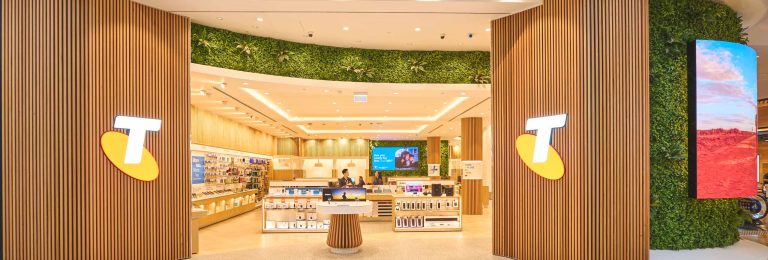
Digital signage solutions turn a static screen into a managed communication channel that a business can update in minutes rather than days. The technology covers everything from a single reception screen to a national network of thousands of displays, and the right setup depends on where the screen sits, how often content changes, and what the business actually wants it to do. Engagis designs, installs and manages digital signage networks for enterprise brands across Australia, with over twenty years of experience and a track record with organisations including Telstra, Suncorp and Medibank.
Talk to the Engagis team about planning, installing or managing a digital signage network for your business.
You Might Be Interested In
Retail Media vs Commerce Media: What’s the Difference?
Cloud-Based Digital Signage: Security, Uptime and Governance for Enterprise Networks
LED vs LCD Advertising Screens Compared
Your Digital Signage & AV Starts Here
Get expert guidance, reliable delivery, and ongoing support - end to end. Talk to our team about solutions tailored to your organisation.