Digital Signage for Schools: Campus Communication, Safety Alerts and Event Updates

Martin Uhr
An expert in digital signage, Martin consults with nationally recognised brands to help develop, plan and deliver large-scale digital signage projects.
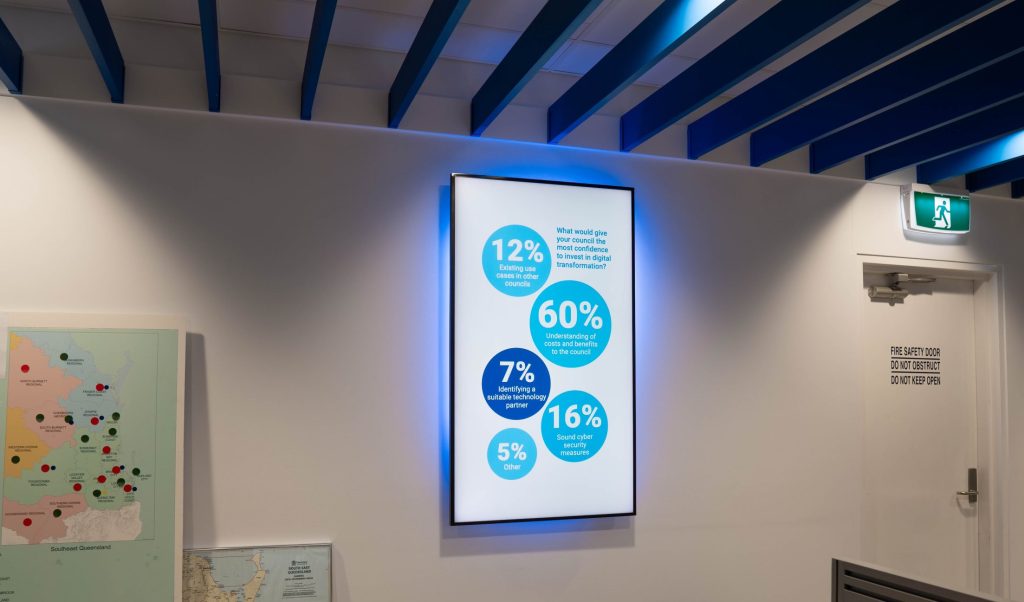
Schools share important updates every day, but printed notices and emails do not always reach people at the right moment.
Digital signage for schools gives campuses a visible way to share announcements, safety instructions, event reminders and directions. Screens support existing communication channels rather than replacing them. The result is a clearer experience for students, staff, parents and visitors.
What Is Digital Signage for Schools?
A school digital signage system is a managed network of screens placed around a campus. Staff can schedule content, update messages quickly and remove expired notices. This matters because each area has a different audience and purpose.
A reception screen may welcome visitors to a Melbourne school. A hallway display may show room changes. A library screen may promote study support. Digital signage for education works best when every screen answers a practical question.
Key Benefits for School Campuses
(1) Clearer Daily Communication
Digital signage solutions for schools help staff publish consistent messages across busy areas. A Brisbane campus can show morning reminders at entrances and afternoon event directions near the sports hall. That keeps information useful without crowding every screen.
(2) Better Support for Safety Alerts
Digital signage for schools can reinforce approved safety instructions on selected displays. Schools should still use their required emergency procedures and direct alert channels. Screens add visibility, especially for visitors who cannot access internal systems.
(3) Easier Campus Navigation
A clear school digital signage plan can reduce repeated questions at reception. Simple arrows, destination names and event locations help people move confidently. That matters during open days, performances and sporting events.
What Can Schools Show on Their Screens?
The right content depends on location. Digital signage for education can support daily notices, assemblies, library programs, activity reminders, fixture updates and visitor directions. Messages should stay short because people often read them while moving.
Ask one question before publishing: what does this audience need to know next? Digital signage solutions for schools become more effective when the answer is specific. A screen near reception should not copy a crowded hallway playlist.
Where Should Schools Place Screens?
Start with movement. Identify entrances, queues, corridor junctions and waiting areas where people pause or make decisions. A Sydney school may use a large reception screen, a compact library display and simple directions near its sports facilities.
Check sightlines, glare, mounting height and accessibility before installation. School digital signage must remain readable from the expected viewing distance. A waiting-area screen can show more detail than a hallway display.

How Should Schools Plan a Rollout?
Begin with a small number of high-value locations. Test the content process before expanding. The most practical digital signage solutions for schools are easy for staff to manage during a normal week.
- Assign an owner for each screen group.
- Create templates for notices, events and alerts.
- Set approval rules and expiry dates.
- Review readability and accessibility each term.
A monthly review keeps school digital signage useful. Remove outdated notices and check whether departments follow the same process. Digital signage for education should reduce clutter, not reproduce a printed noticeboard on a screen.
How Can Schools Keep Screen Content Useful?
A successful rollout needs a simple content routine. Set clear expiry dates for event notices, review recurring messages and remove information that no longer helps the audience. A screen loses value quickly when people learn to ignore it.
Good digital signage for education also needs shared standards. Use consistent templates, readable text and a limited number of slides. Schools should decide which messages belong on every display and which updates should remain local.
For example, a term-wide wellbeing reminder may suit several shared areas. A temporary library closure belongs only near the library and the main entrance. This approach keeps screens relevant without giving staff unnecessary work.
Content priorities will also change through the year. Enrolment periods, parent evenings, exam weeks and sports events create different communication needs. A simple calendar helps staff prepare messages early, while a clear approval process keeps last-minute updates accurate. That balance makes the system easier to trust.
Frequently Asked Questions
Is Digital Signage Useful for Schools?
Yes. Digital signage for schools can support announcements, directions, events and approved safety messages. Its value depends on clear screen purposes and regular content reviews.
How Much Does a Campus Signage System Cost?
Costs vary by screen numbers, display types, installation, software and support. A site assessment helps identify the right digital signage solutions for schools for the first phase.
Build a Clearer Campus Communication System
Good campus communication should feel simple. Engagis can help schools assess locations, select suitable technology and build a manageable digital signage for schools rollout. Contact the team to explore options for your campus.
You Might Be Interested In
Digital Signage Solutions: A Complete Guide
Cloud-Based Digital Signage: Security, Uptime and Governance for Enterprise Networks

LED vs LCD Advertising Screens Compared
Your Digital Signage & AV Starts Here
Get expert guidance, reliable delivery, and ongoing support - end to end. Talk to our team about solutions tailored to your organisation.