How Much Does Digital Signage Cost in 2026?

Ben Smith
An authority on digital transformation of physical spaces, Ben has 20+ years helping top-tier companies improve their customer and staff experience.
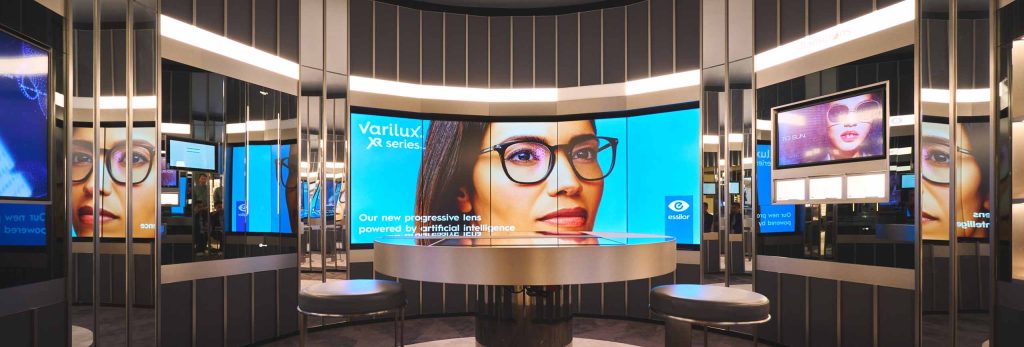
Digital signage cost isn’t one fixed number. It’s a stack of choices. The screen is only the start. The cost of digital signage changes fast once you add the player, the CMS, installation, content, and ongoing support.
This is why people get caught out. They price a display. Then they realise they still need a way to run content, update it, mount the screen safely, and keep the system stable. That’s where digital signage pricing can jump.
In this guide, we break your digital signage budget into the costs you need to consider in 2026.
What Actually Drives Digital Signage Costs in 2026?
The biggest drivers are simple. How many screens you’re running. How long they run each day. How bright they need to be. Indoor vs outdoor placement. Network setup. Content complexity. And whether your team manages it in-house or you outsource it.
Digital signage pricing also depends on how much risk you want to carry. Cheap hardware can look good on day one. But it can cost more later through downtime, clunky manual updates, or early replacement. That “save now, pay later” pattern is common in the cost of digital signage.
Scale changes everything, too. One screen is usually straightforward. Ten screens across locations is a different game. Remote management matters more. Standardised hardware matters more. Your digital signage budget needs to cover time, not just equipment.
Hardware Costs
Hardware is usually the biggest part of your digital signage cost upfront. The screen price changes based on duty cycle (how long it runs each day), brightness, heat handling, and warranty. Indoor screens tend to cost less than high-brightness or outdoor-rated units, which are built for glare, weather, and higher wear.
Media players also affect digital signage pricing. Some screens have a built-in player, while others need an external unit for better reliability and remote management. Then there’s installation. Mounts, cabling, power, and network setup can shift the cost of digital signage a lot. If you’re setting a digital signage budget, plan for hardware plus install as a combined line item.
Software and Licensing Costs (CMS)
Your CMS is a core ongoing cost in digital signage pricing. Most platforms charge per screen per month. Cloud CMS is common in 2026 because it makes multi-site control easier, and speeds up updates. On-premise setups can suit strict IT rules, but they often add maintenance overhead that increases the cost of digital signage over time. Tools can also stabilise your digital signage budget because you spend less time fixing problems and more time running campaigns.
Content Creation Costs
Content is where digital signage cost can stay lean or blow out. DIY content is usually cheaper. Professional content costs more, but it can lift performance in busy retail spaces.
The biggest cost drivers are motion vs static, update frequency (weekly vs seasonal), and how many versions you need across locations. A smart way to control digital signage pricing is to build reusable templates. That keeps your digital signage budget predictable and reduces the ongoing design workload.
Is it Worth the Investment?
For many businesses, yes. In a lot of cases, digital signage pricing becomes an investment that cuts down costs and increases revenue.
You can see the ROI by tracking simple metrics. Sales lift on promoted items. Dwell time near displays. Foot traffic patterns. Time saved compared to printing and manual updates. In this way, you can judge if the cost of digital signage is paying back.
Conclusion
Digital signage cost in 2026 comes down to five buckets: hardware, CMS software, content, installation, and support. Once you price all five, digital signage pricing becomes clearer and easier to plan for. Your digital signage budget should cover both setup and ongoing operating costs, including signage as a service cost if you want less admin.
If you want a clearer estimate for your business, get in touch with Engagis. We’ll help you map the real cost of digital signage based on your sites, screens, and content needs.
You Might Be Interested In
Digital Signage Solutions: A Complete Guide
Cloud-Based Digital Signage: Security, Uptime and Governance for Enterprise Networks

LED vs LCD Advertising Screens Compared
Your Digital Signage & AV Starts Here
Get expert guidance, reliable delivery, and ongoing support - end to end. Talk to our team about solutions tailored to your organisation.